MCP (Model Context Protocol) is an open protocol. Every major AI coding tool supports it.
The config format, approval model, and enterprise governance? Four tools. Four different answers.
SSE Is Already Dead
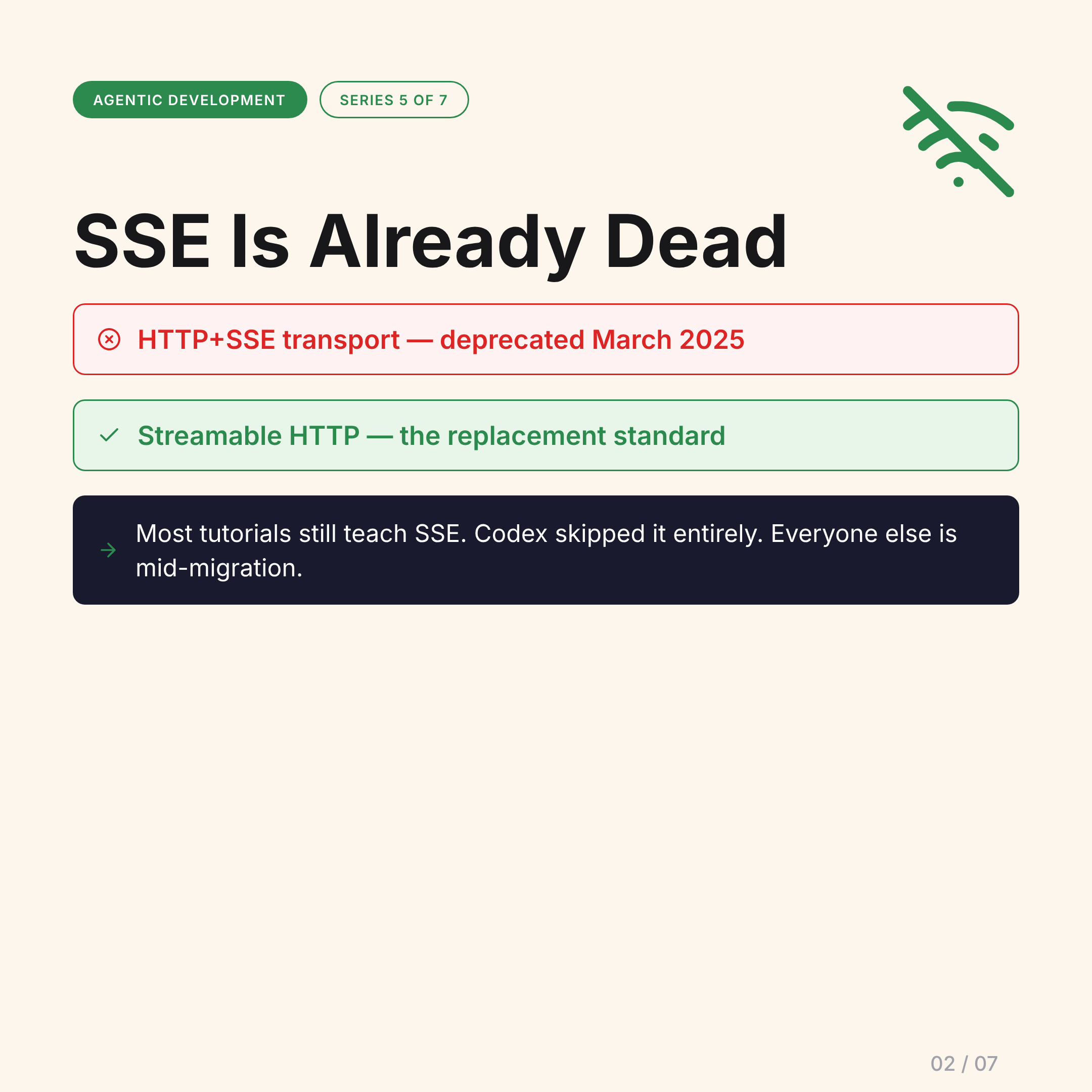
The MCP spec deprecated HTTP+SSE transport in March 2025. Streamable HTTP replaced it.
Most tutorials online still use SSE. Several popular starter templates still configure SSE. Codex doesn’t even document it.
If you’re following a tutorial from before mid-2025, you’re learning a deprecated transport. Check the date before you implement.
Config Format Divergence
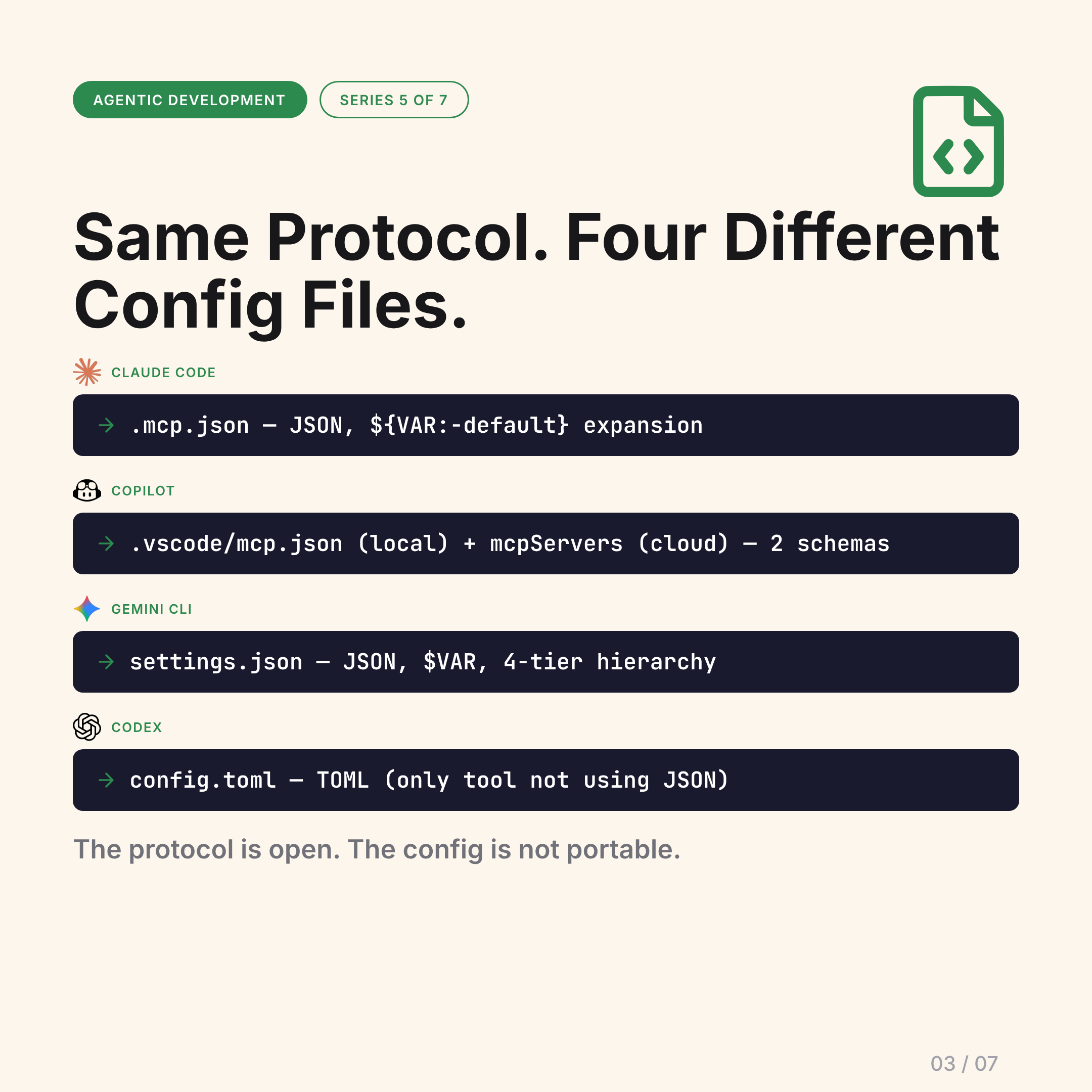
Same protocol. Four different config files with different syntax:
Claude Code — .mcp.json:
{
  "mcpServers": {
    "github": {
      "command": "npx",
      "args": ["-y", "@modelcontextprotocol/server-github"],
      "env": { "GITHUB_TOKEN": "${GITHUB_TOKEN:-}" }
    }
  }
}
JSON with ${VAR:-default} expansion.
Copilot — two configs:
.vscode/mcp.jsonfor local Agent ModemcpServersin repo settings for Copilot cloud agent
Two different schemas for the same tool depending on where the agent runs.
Gemini CLI — settings.json:
JSON with $VAR expansion, 4-tier hierarchy (user → project → workspace → default).
Codex — config.toml:
TOML. The only tool not using JSON.
The protocol is open. The config is not portable. You will rewrite your MCP server configs when switching tools.
When Does Your Agent Ask Permission?
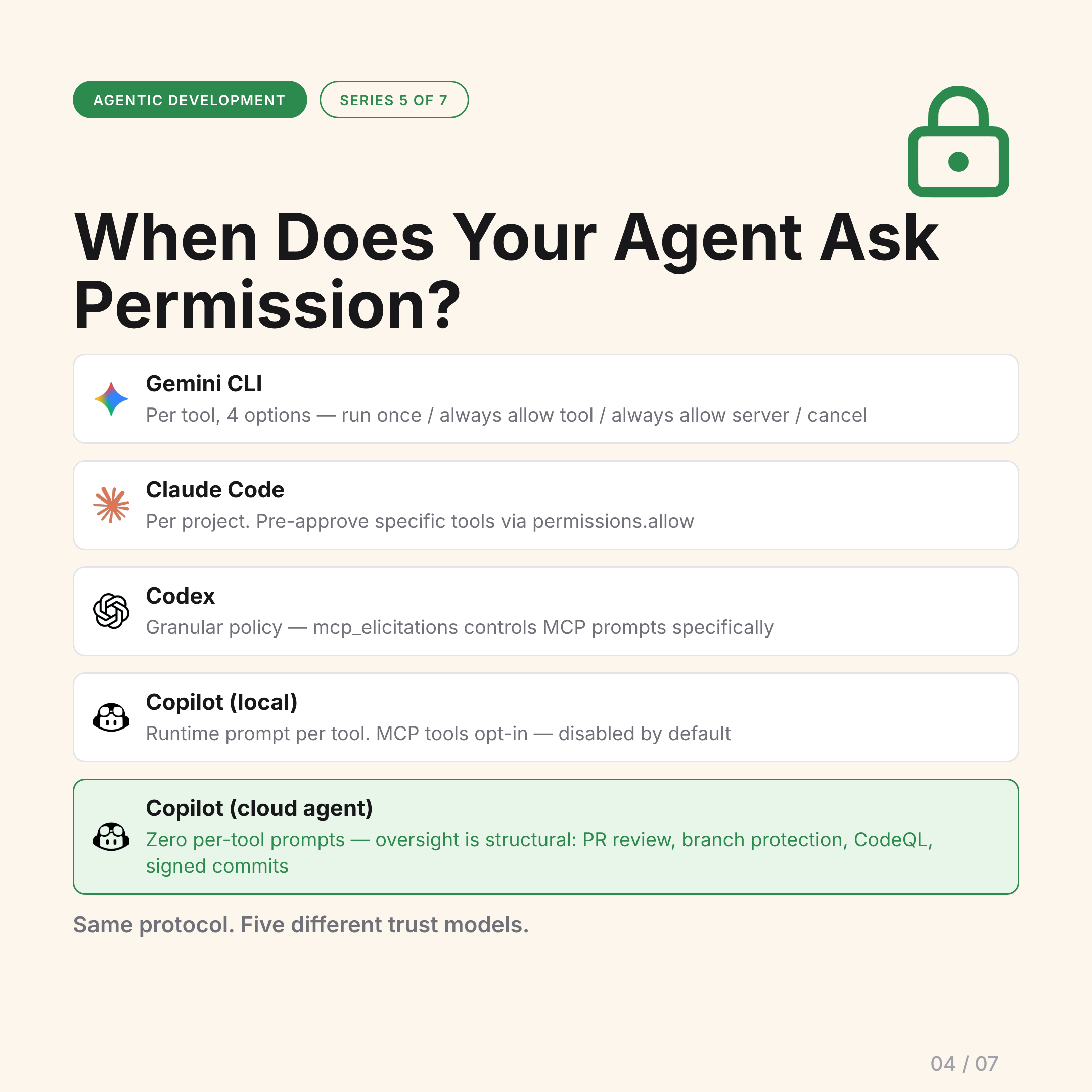
Every tool answers this differently.
Gemini CLI: Prompt per tool call, 4 options: run once / always allow this tool / always allow this server / cancel. Granular, transparent, slightly noisy.
Claude Code: Confirm per project. Pre-approve specific tools via permissions.allow. Set once, trusted until revoked.
Codex: mcp_elicitations policy controls MCP tool prompts specifically — separate from other tool approval policies.
Copilot local (Agent Mode): Runtime prompt per tool. MCP tools are opt-in and disabled by default.
Copilot cloud agent: No per-tool prompts at all. Oversight is structural: PR review before merge, branch protection, CodeQL on output, session logs linked from every commit. You approve the work product, not the individual tool calls.
Same protocol. Five different trust models.
Enterprise Governance
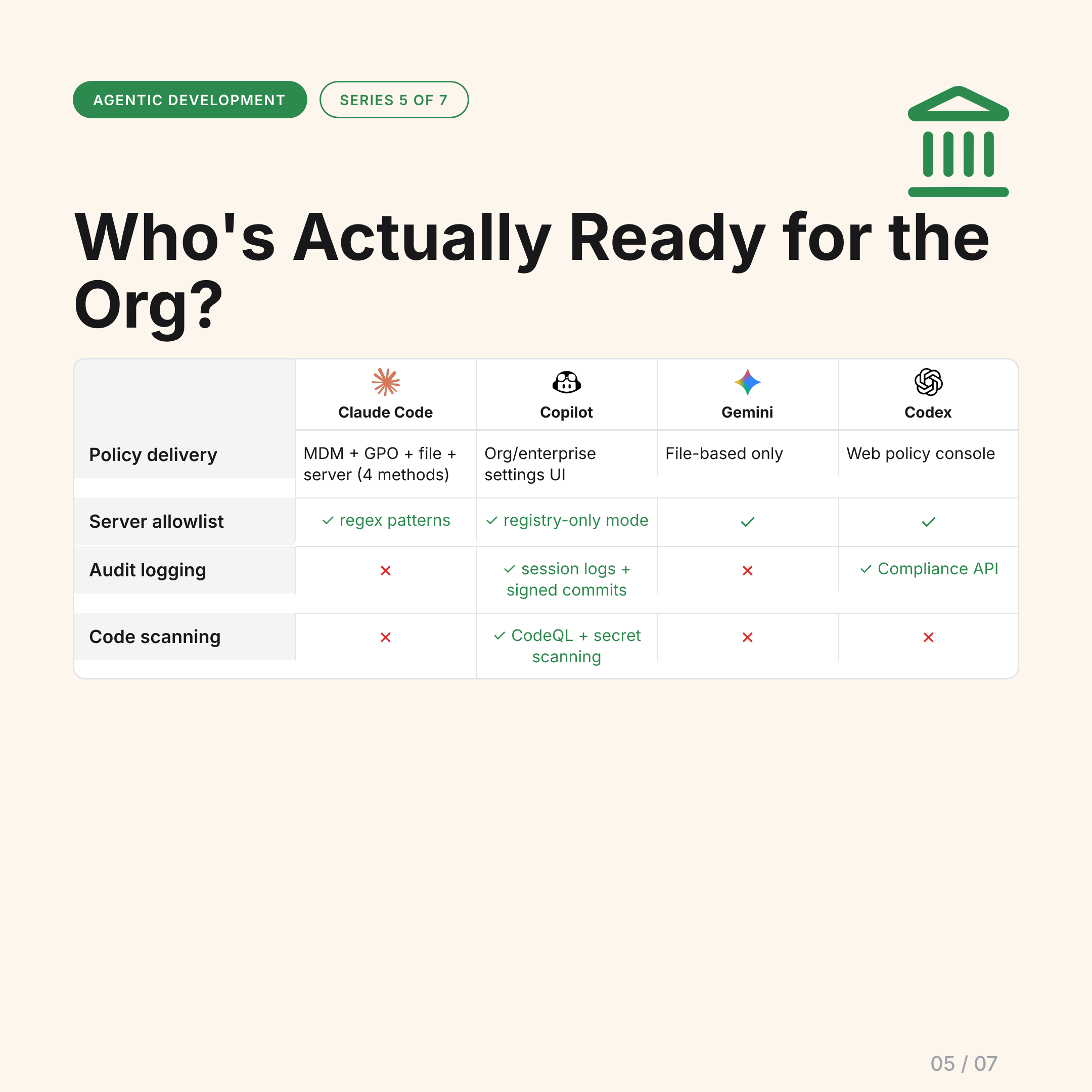
For organizations deploying AI coding tools at scale:
Policy delivery:
- Claude Code: MDM + GPO + file + server-managed (4 methods)
- Copilot: org/enterprise settings UI + enterprise hierarchy
- Gemini CLI: file-based only
- Codex: web policy console (no file distribution needed)
Server allowlist enforcement:
- Claude Code: ✓ regex patterns
- Copilot: ✓ registry-only mode
- Gemini CLI: ✓
- Codex: ✓
Audit logging:
- Claude Code: ✗ (no native audit log)
- Copilot: ✓ session logs + signed commits
- Gemini CLI: ✗
- Codex: ✓ Compliance API
Code scanning on agent output:
- Claude Code: ✗
- Copilot: ✓ CodeQL + secret scanning
- Gemini CLI: ✗
- Codex: ✗
Copilot has the strongest audit and code scanning story. Claude Code has the most flexible policy delivery. Codex has the cleanest console-based governance. Gemini is file-based only.
The Differentiators
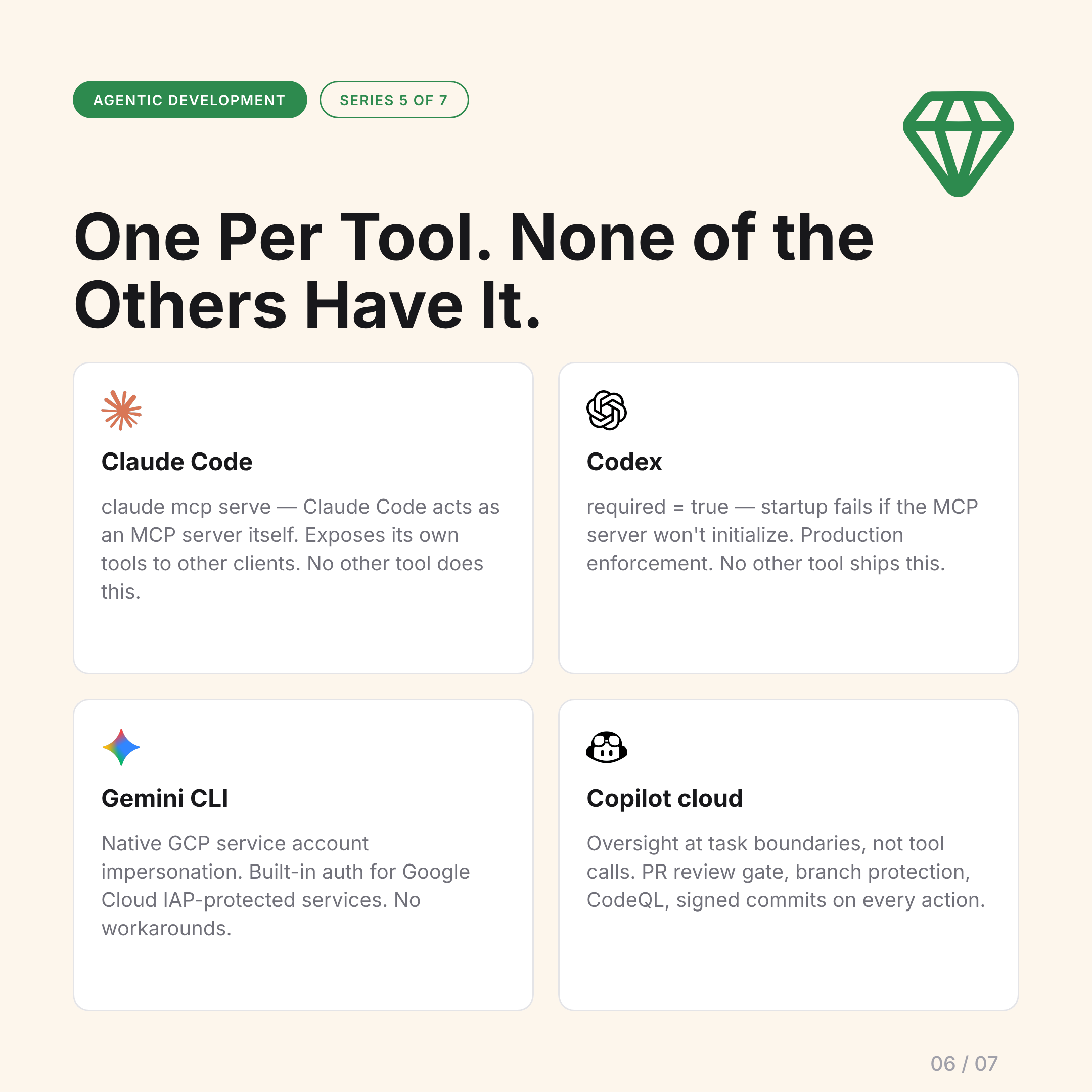
Each tool has one capability no other tool offers:
Claude Code — MCP server mode:
claude mcp serve exposes Claude Code’s own tools to other MCP clients. Claude Code can act as an MCP server, not just a client. No other tool has this.
Gemini CLI — GCP service account impersonation:
authProviderType: service_account_impersonation gives native auth for Google Cloud IAP-protected services. If your MCP servers live behind Cloud IAP, this is the only tool with native support.
Codex — required field:
required = true fails startup if the MCP server won’t initialize. Production enforcement: if the database MCP server is down, the agent doesn’t start — it doesn’t silently proceed without the tool it needs.
Copilot cloud agent — structural oversight: No per-tool prompts at the approval layer, but: branch protection, PR review gate before merge, CodeQL scanning, signed commits linked to session logs. Oversight at task boundaries rather than tool calls.
The Decision
MCP support is table stakes. Every tool has it.
The decision criteria that actually matter:
- Which config format are you adopting? They’re not portable. Pick your primary tool and learn its config.
- When do you want the agent to ask permission? Gemini prompts per call. Claude Code prompts per project. Copilot cloud prompts at the PR boundary. Right answer depends on your workflow.
- What does your organization need for governance? Audit logs, code scanning, allowlist enforcement — these vary significantly.
Picking an MCP-enabled AI coding tool is a governance decision as much as a capability one.
The AI Basics #5. Read the full series →