A skill teaches Claude one task. A plugin ships everything it needs to do a job.
That’s the distinction. One install, every tool wired.
Skills vs Plugins
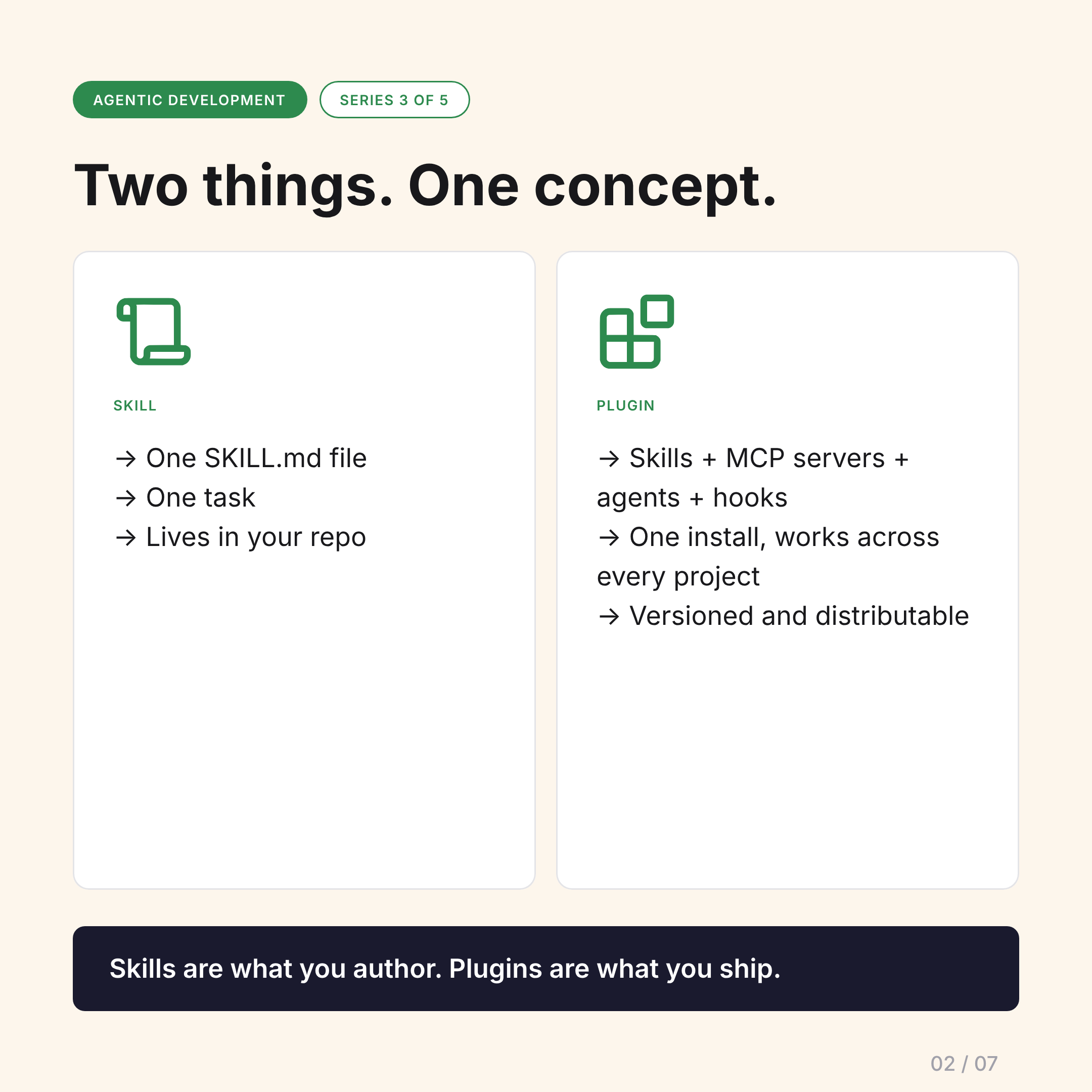
Skill:
- One
SKILL.mdfile - One task
- Lives in your repo
- You author it for your project
Plugin:
- Skills + MCP servers + agents + hooks
- One install, works across every project
- Versioned and distributable
- You ship it for others to use
Skills are what you author. Plugins are what you ship.
The Minimum Plugin
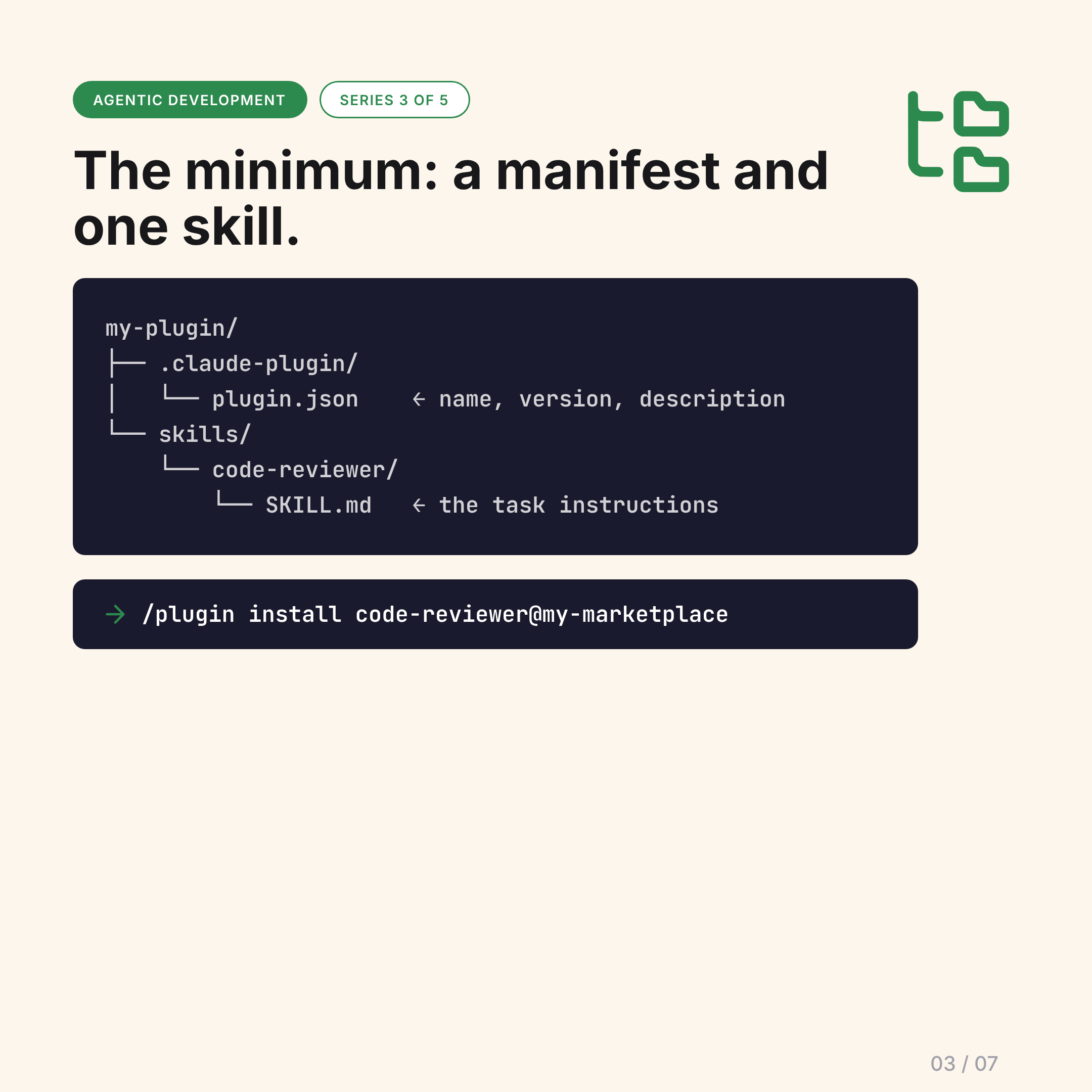
The minimum viable plugin is just a manifest and one skill:
my-plugin/
├── .claude-plugin/
│   └── plugin.json       ← name, version, description
└── skills/
    └── code-reviewer/
        └── SKILL.md      ← the task instructions
Install it with one command:
/plugin install code-reviewer@my-marketplaceThat’s it. Every project gets the skill.
A Supercharged Plugin
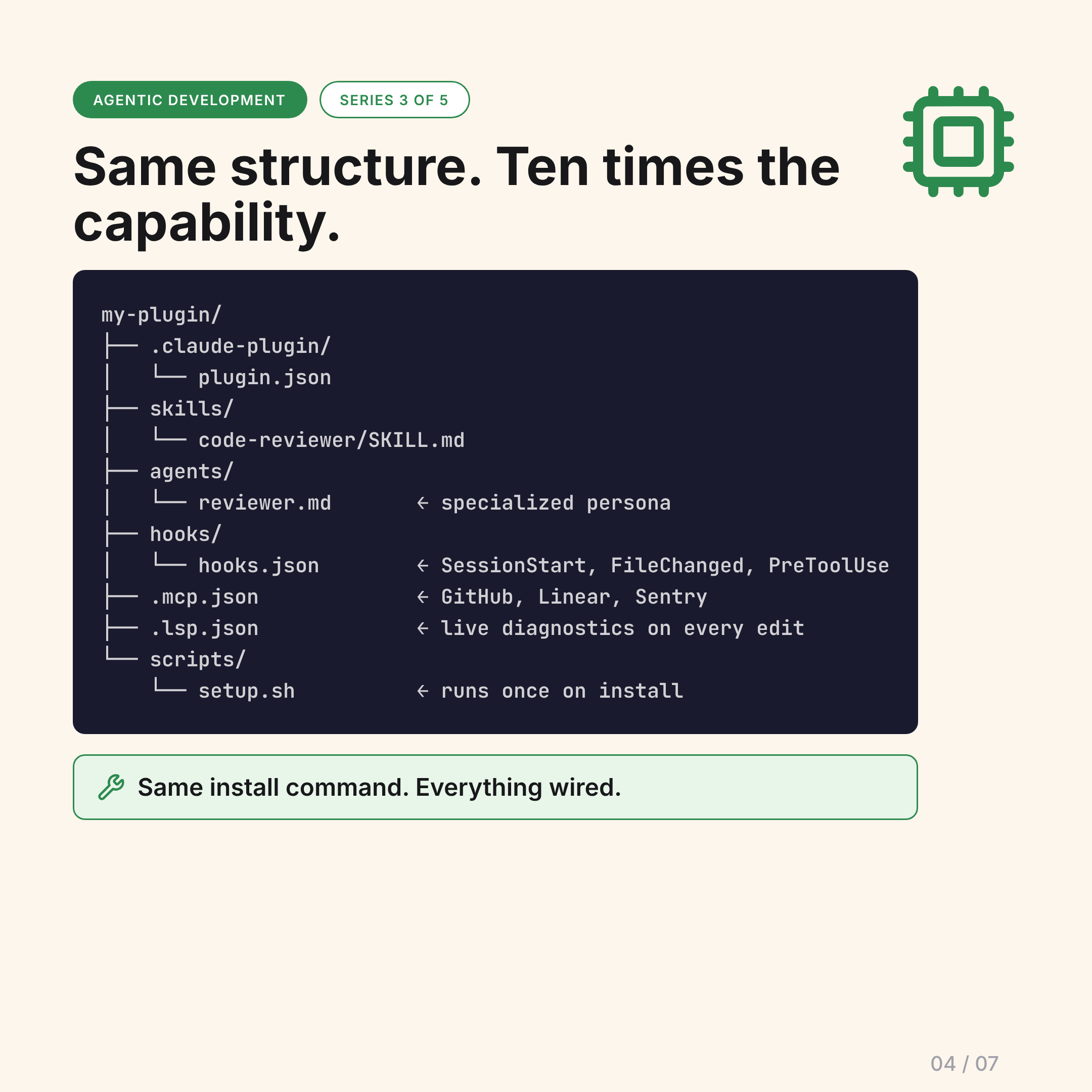
Add MCP servers, hooks, agents, and LSP — same structure, ten times the capability:
my-plugin/
├── .claude-plugin/
│   └── plugin.json
├── skills/
│   └── code-reviewer/SKILL.md
├── agents/
│   └── reviewer.md         ← specialized persona
├── hooks/
│   └── hooks.json          ← SessionStart, FileChanged, PreToolUse...
├── .mcp.json               ← wires GitHub, Linear, Sentry automatically
├── .lsp.json               ← live diagnostics after every file edit
└── scripts/
    └── setup.sh            ← runs once on install
Same one-line install. Everything configured automatically.
Installation Across All Four Tools
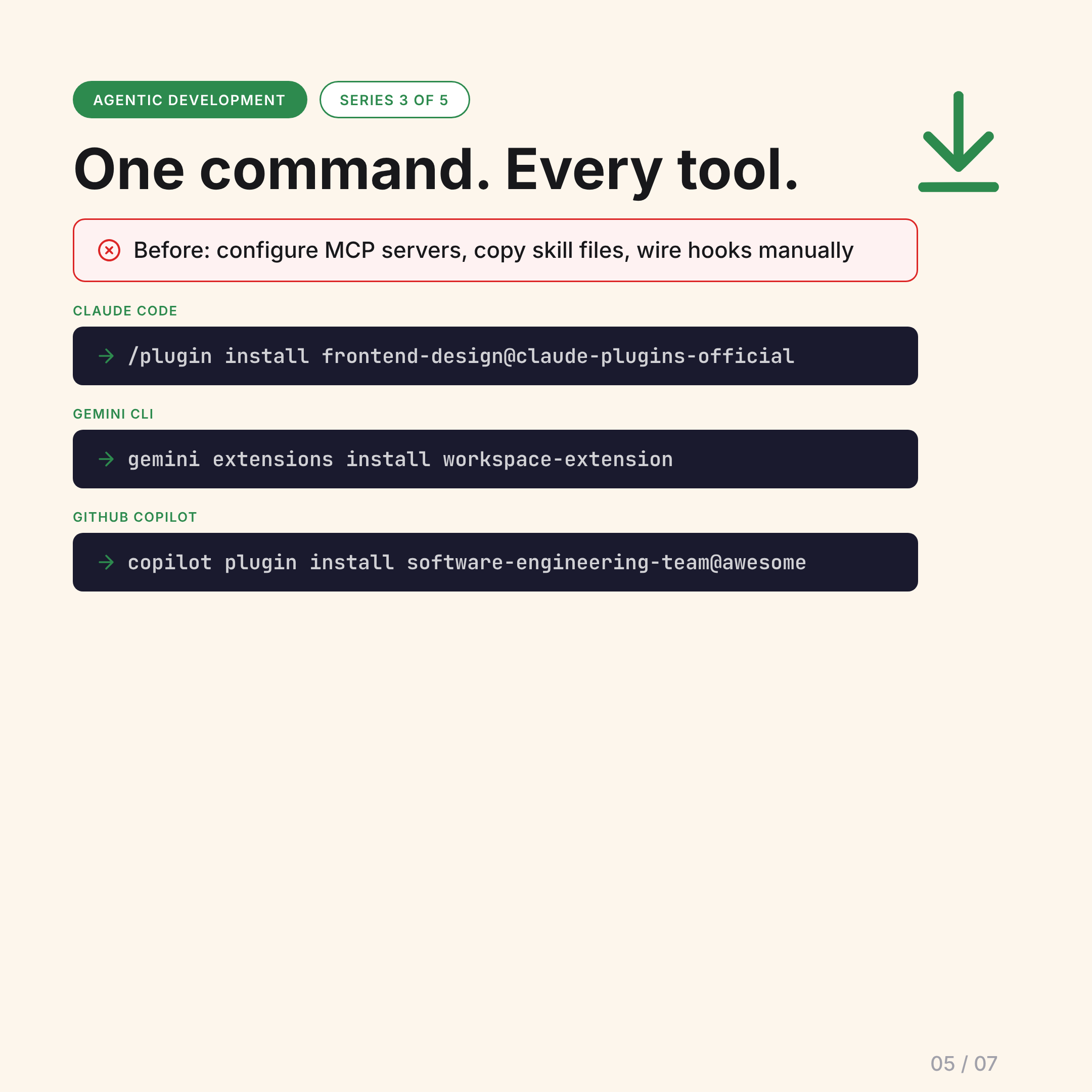
Before plugins: configure MCP servers manually, copy skill files, wire up hooks, update config files.
After:
# Claude Code
/plugin install frontend-design@claude-plugins-official

# Gemini CLI
gemini extensions install https://github.com/gemini-cli-extensions/workspace

# GitHub Copilot
copilot plugin install software-engineering-team@awesome-copilot
The Four Tools Have It — With Different Names
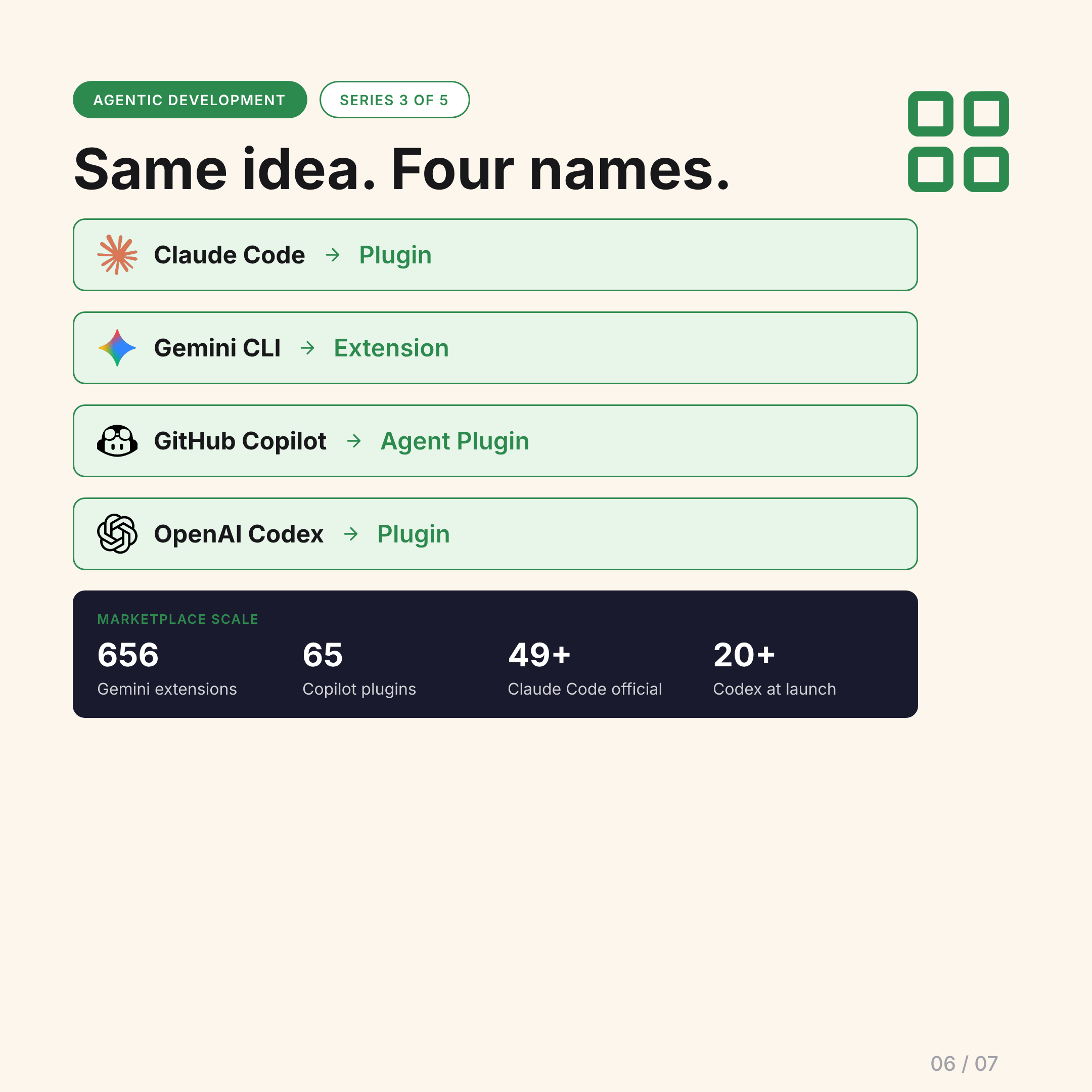
Same concept, four names:
- Claude Code → Plugin
- Gemini CLI → Extension
- GitHub Copilot → Agent Plugin
- OpenAI Codex → Plugin
Marketplace scale (as of April 2026):
- Gemini: 656 extensions
- Copilot: 65 plugins
- Claude Code: 49 official plugins, 95+ independent marketplaces
- Codex: 20+ at launch (March 2026)
The Distribution Layer
Skills won the format war. Plugins are the distribution layer that follows.
The shift: once the instruction format converges, the natural next step is packaging — bundling everything a job needs (not just instructions, but tools, MCP connections, hooks, agents) into a single installable unit.
A plugin for “frontend development” doesn’t just add a few skills. It wires up your design token MCP server, hooks into every file write to run type checking, adds specialized subagents for component review, and configures your LSP for TypeScript diagnostics. You install it once. The entire workflow is configured.
That’s the promise. The next post covers how well each tool actually delivers on it.
The AI Basics #3. Next: State of Plugins Across AI Tools